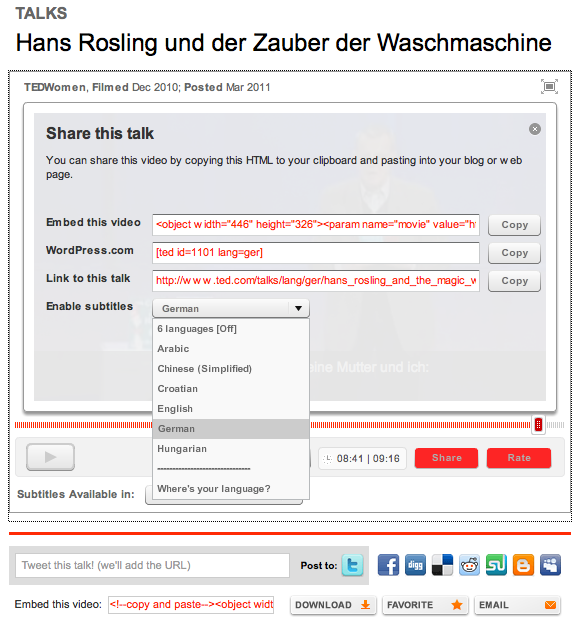
We recently improved our embeddable player so now you can embed TEDTalks with subtitles enabled in your language! Simply click the “Share” button on any TEDTalk, select an available language from the drop-down menu, copy the embed code and voilà: the subtitles automatically play on the embedded video. And now that our embed player supports right-to-left languages, like Arabic and Hebrew, sharing talks subtitled by our Open Translation Project volunteers is even easier.
Note: WordPress shortcode support is forthcoming.
Comments (6)
Pingback: Mi resumen de la semana: nº 66 | Blog de Marketing Online de Tristán Elósegui